
Grabtext — Copy Text From Any Image or Video Frame
Utilities ·
Right-click any image or video frame to get selectable text. Offline OCR in 8 languages.
- Images, paused video frames, or a dragged box
- 8 bundled language packs, fully offline
- Zero host permissions
The idea
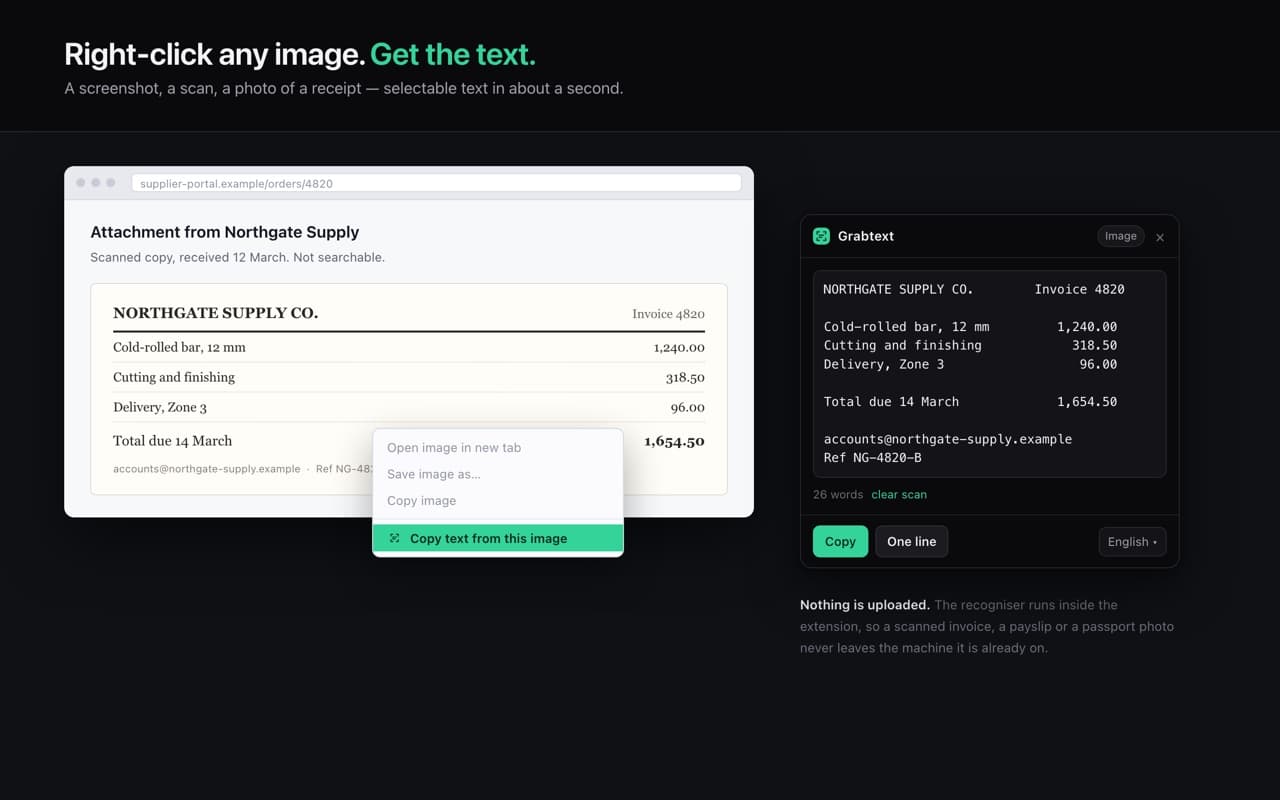
Text in a screenshot is text you have to retype. Grabtext puts an OCR pass behind the right-click menu, so the error message in a bug report screenshot becomes something you can paste into a search box.
Three ways in
- —Any image — right-click, "Copy text from this image"
- —Any video frame — pause, then right-click
- —Any part of the page — Alt+Shift+T and drag a box
The pre-processing is the product
Raw OCR on a web screenshot is bad. Grabtext scales small images up before reading them, which is why a 200-pixel thumbnail works at all, and inverts dark screenshots so light-on-dark code blocks read correctly. Column spacing is preserved, so a screenshotted table pastes as a table.
The recognition itself happens in an offscreen document with bundled language data — there is no OCR service behind it, and nothing is ever uploaded.