
Specly — Design Inspector
Developer Tools ·
Hover any element for fonts, colors and spacing. Extract the page palette and download every image, SVG and icon.
- Fonts, colours and spacing on hover
- Palette extraction and contrast verdicts
- Bulk asset export
- Zero host permissions
The idea
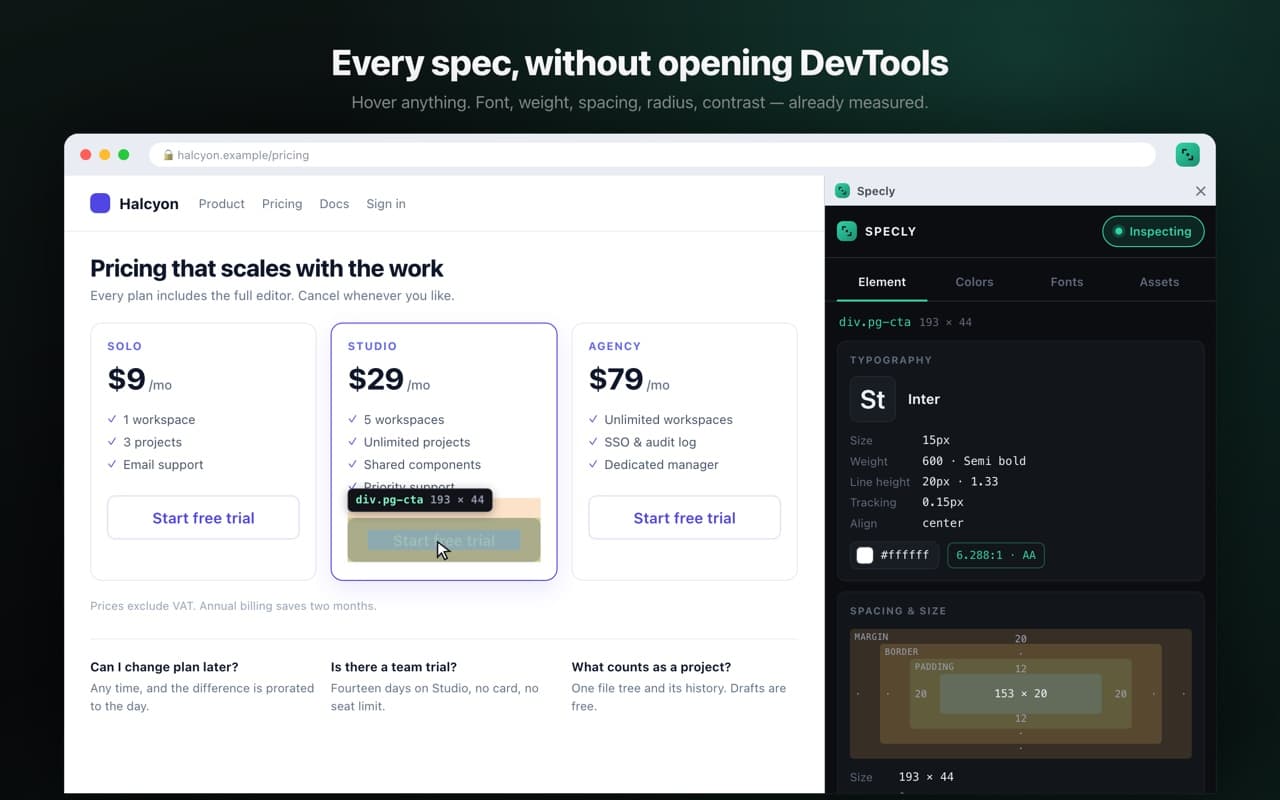
DevTools will tell you everything about an element, eventually, across four panels. Specly answers the three questions a designer actually asks — what font, what colour, how much space — in a panel that follows the cursor.
What it gives you
- —Computed font family, size, weight and line height for whatever is under the pointer
- —Colours with a contrast ratio and a WCAG verdict beside them
- —Margin and padding drawn on the element itself
- —The whole page's palette, extracted in one pass
- —Every image, SVG and icon on the page, downloadable together
Two design decisions worth knowing
Specly asks for no host permissions at all — it is injected only into the tab you invoke it on, when you invoke it. And it runs in the side panel rather than a popup, because a popup closes the moment you click the page you are trying to inspect.
One caveat it is honest about: the browser's font-loading API will happily claim a font is available when the page is actually rendering a fallback, so Specly reports what is painted rather than what is declared.